← Back to VenueOS
Flagship App

Everything for running a live show — worksheets, riders, gear and safety, in one place.

Gig Hub is VenueOS's show advancing app, built for venues with live events. It manages and connects the venue with touring parties — no more chasing a Google Sheet, a PDF rider and a group chat to get one show advanced.

demo.venueos.jjjk.com.au/advancing/
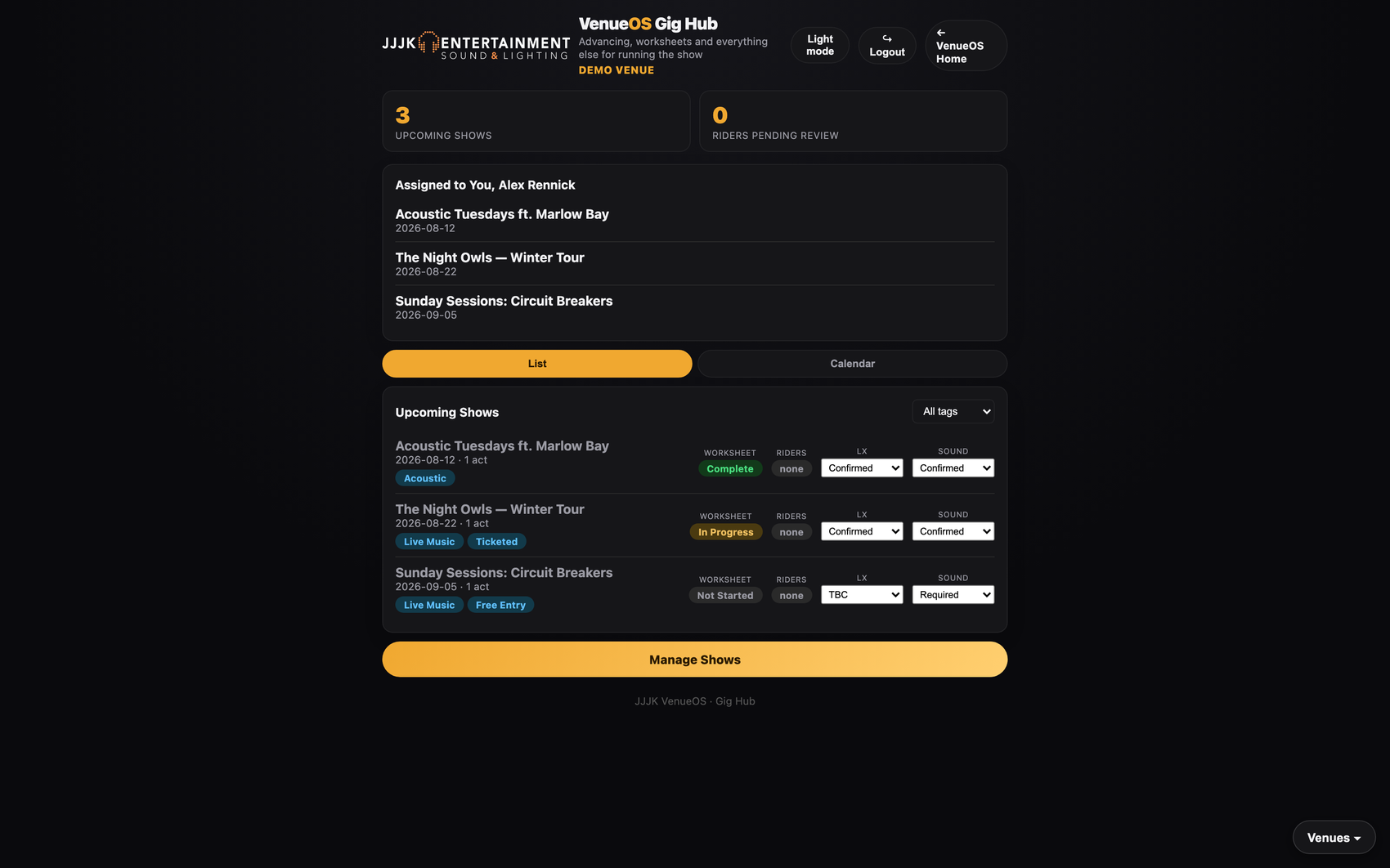
Gig Hub dashboard showing upcoming shows, assigned shows and LX/Sound status at a glance

Real dashboard, real data — every screenshot on this page is a live Gig Hub instance, not a mockup.
Manage Shows

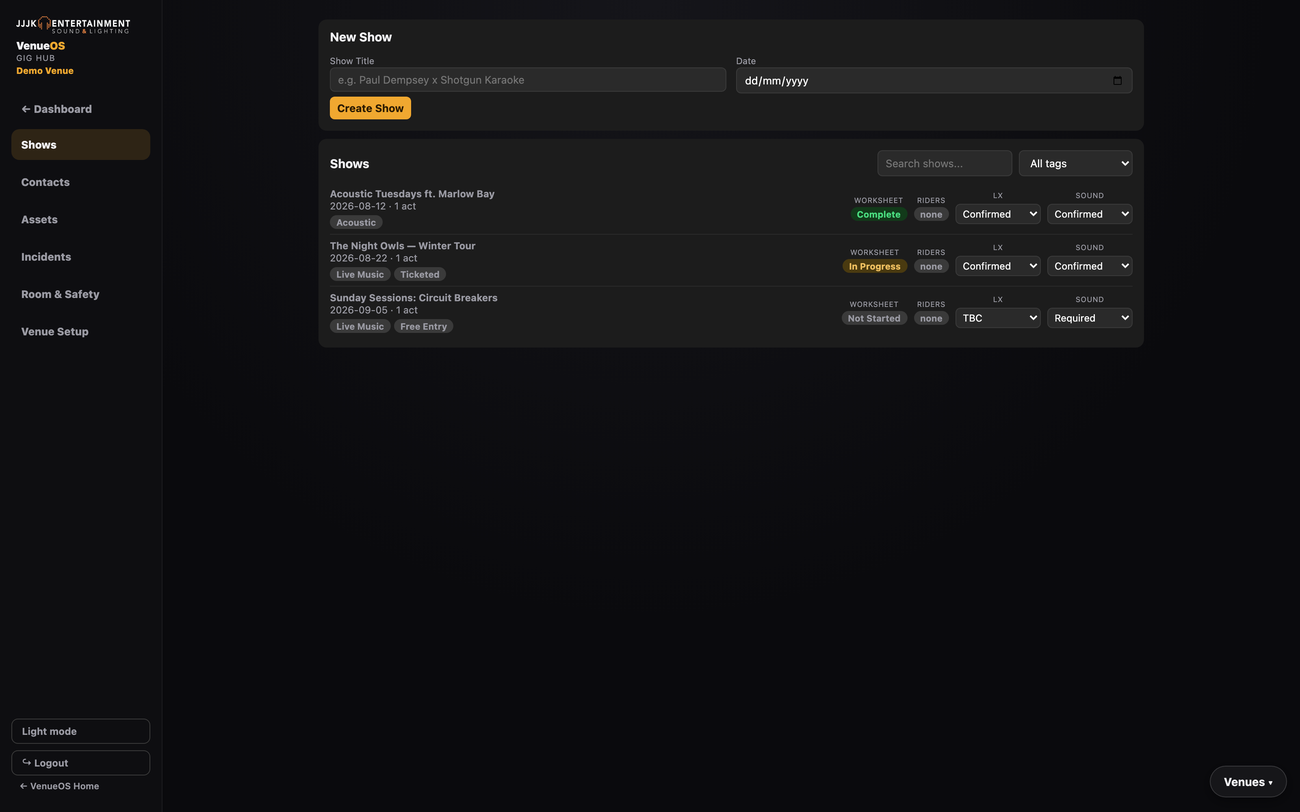
One list, every show, at a glance.

Tags, worksheet status, rider status and LX/Sound readiness — right there on the list, editable inline without opening the show.

demo.venueos.jjjk.com.au/advancing/control
Gig Hub Shows list with tags, worksheet status and LX/Sound dropdowns
The Worksheet

A real worksheet for every show, not a spreadsheet that drifts out of date.

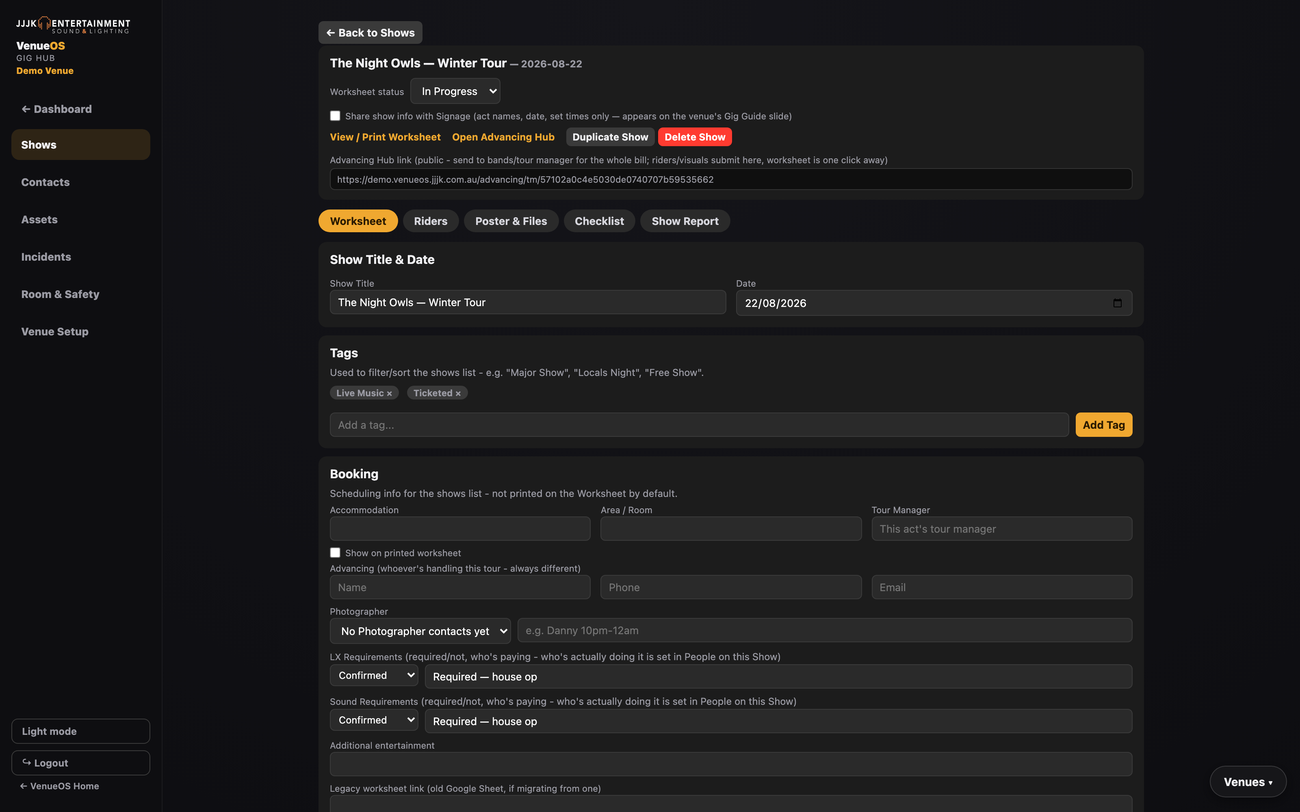
Modelled directly on a real venue's own advancing spreadsheet: tags, load-in/doors/load-out, backline, LX/Sound requirements, a daysheet, and a staff roster that resolves live from your venue's permanent roles — set Sound Tech once, every show already has the right person.

  • ✓Staff Roster resolves automatically — venue-wide defaults per role, override just the one show that needs someone different.
  • ✓Tags & search — filter the Shows list by tag, find any show by title instantly.
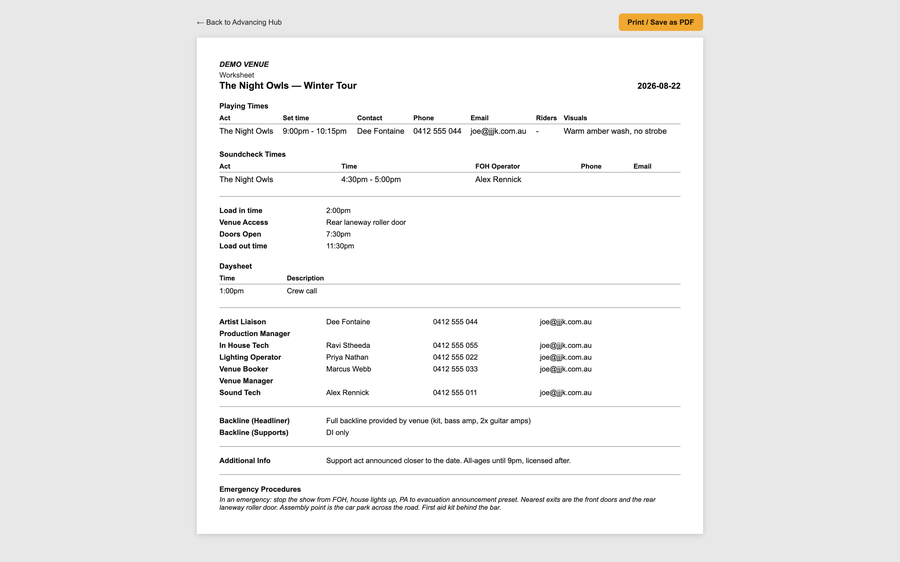
  • ✓Printable Worksheet — one click to a clean, print-styled document you can hand to any tech.
Live at The Anchor Hotel & Riverside Tavern
demo.venueos.jjjk.com.au/advancing/control
Gig Hub show worksheet with tags, booking fields, LX/Sound requirements and the Advancing Hub link
…/advancing/tm/<token>
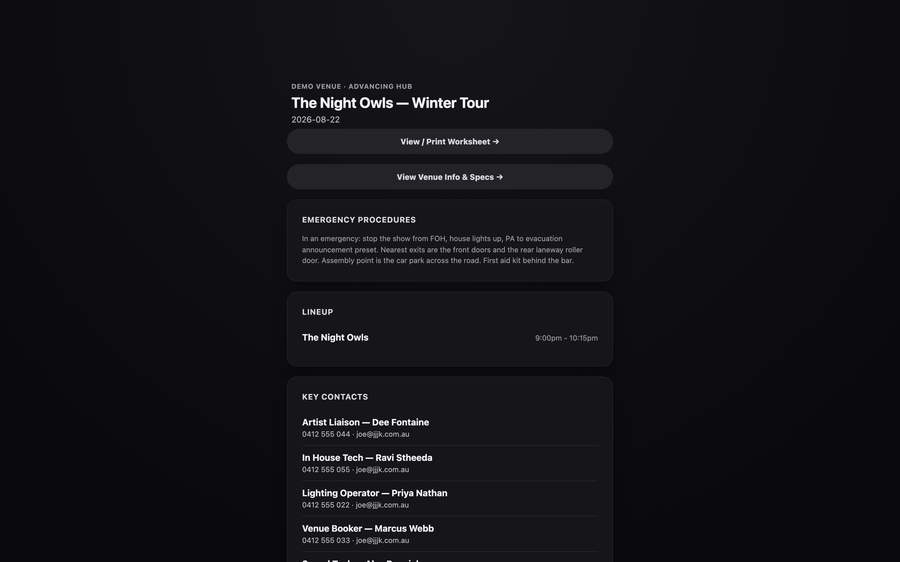
Public Advancing Hub page showing lineup, key contacts and emergency procedures for a touring party
The Advancing Hub

One link for the whole touring party — not five.

Every show gets a single shareable link. Send it to the booking agent, the tour manager, the whole bill — they see the lineup, key contacts, emergency procedures, and can upload their own rider straight from their phone. No login, no separate link per act.

  • ✓Riders upload themselves — tech, hospitality or combined PDF, straight from the band's own link.
  • ✓Emergency procedures, shown safely — staff always see them; public visibility is a deliberate per-venue toggle.
  • ✓Printable Worksheet, one tap away — the same clean document your crew uses, from the same link.
…/advancing/worksheet/<token>
Printable worksheet document showing playing times, soundcheck, logistics and staff roster
The same worksheet, print/PDF-ready — matches how venues already do this on paper.
demo.venueos.jjjk.com.au/advancing/control
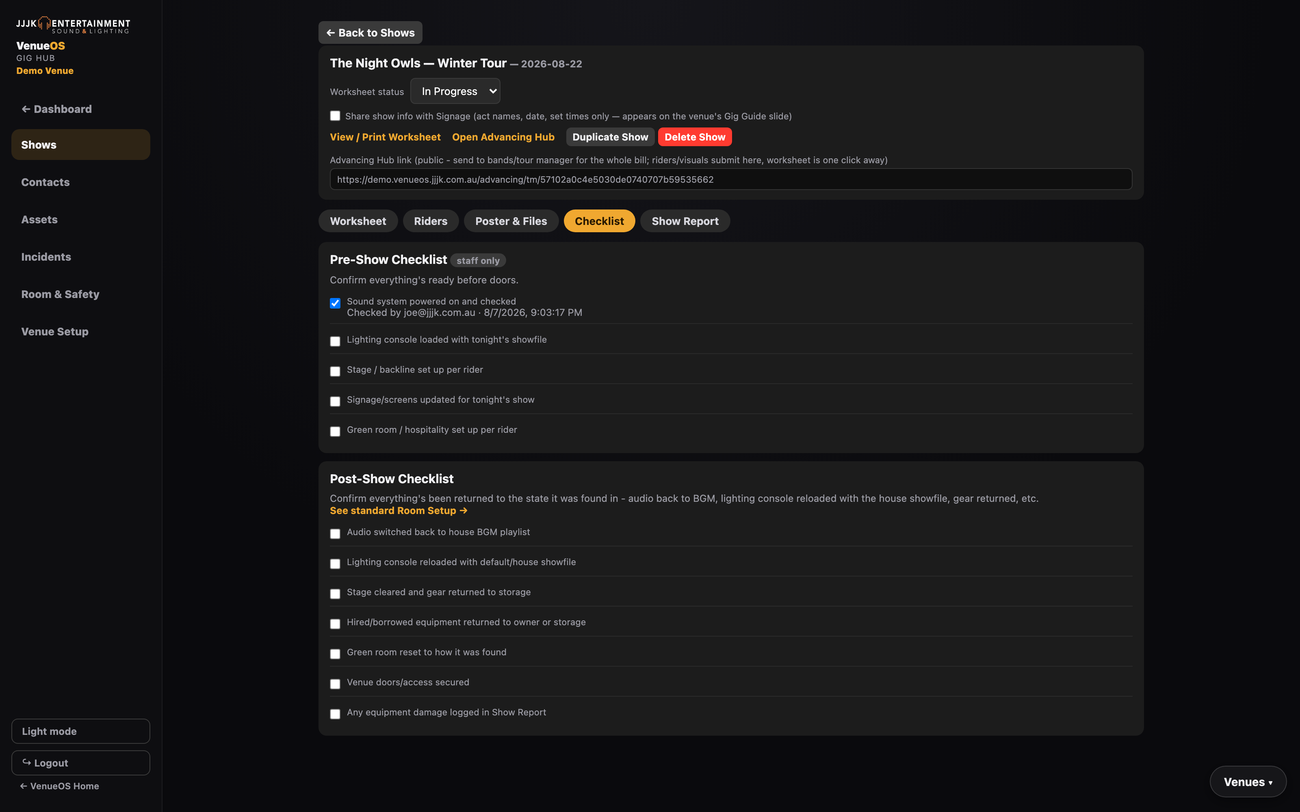
Pre-show and post-show checklist with who-and-when audit trail
Pre/Post-Show Checklist — confirm everything's set up, and reset back afterward.
Contacts, Assets & Suppliers

Set it once, reuse it on every show.

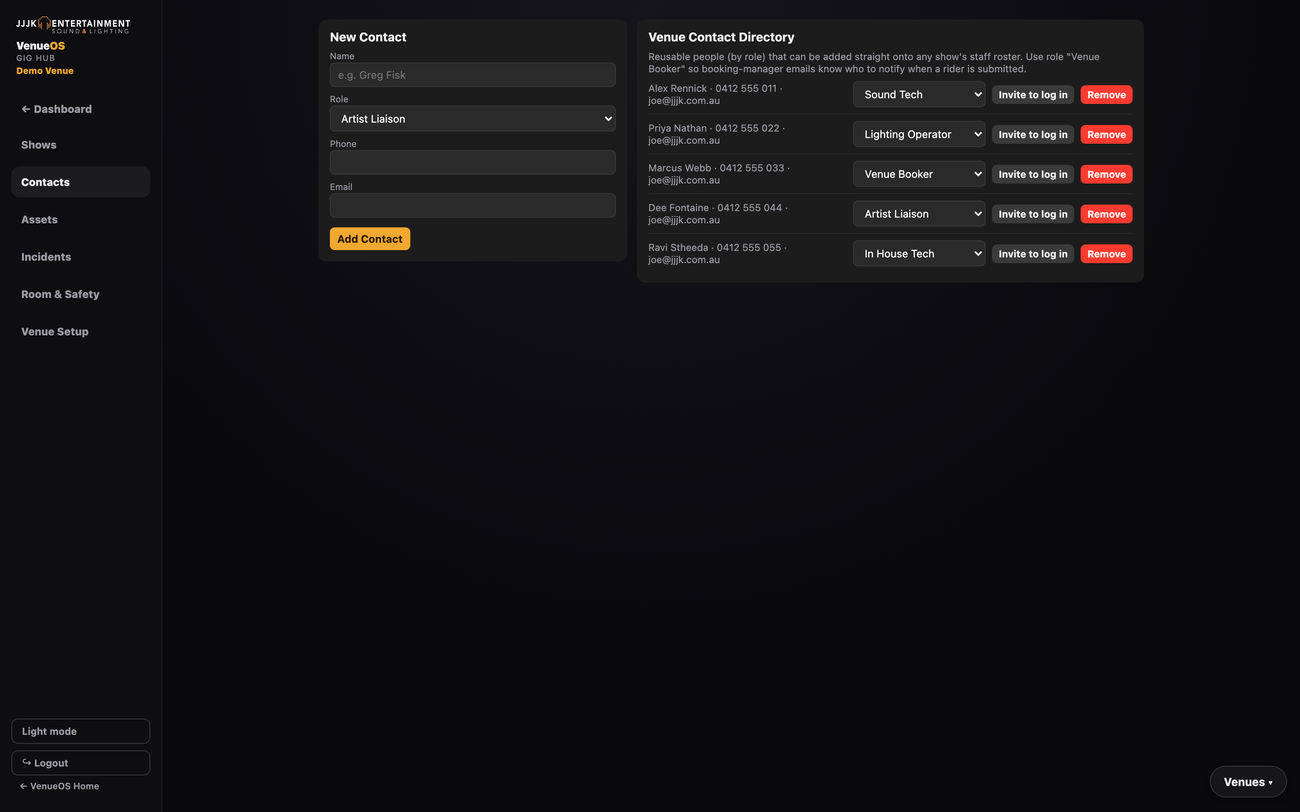
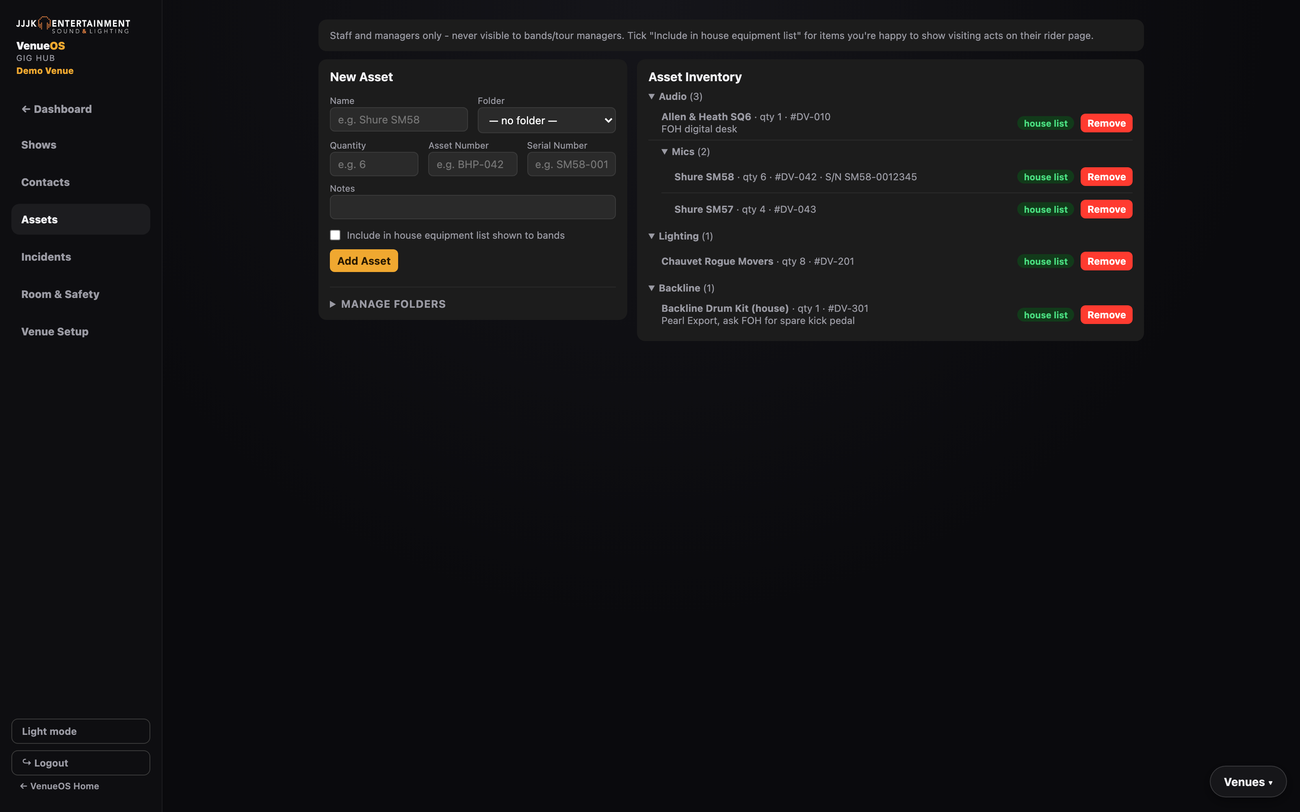
A venue-wide contact directory backs the Staff Roster and every contact-picker in the app. Equipment lives in a proper nested inventory — folders, quantities, asset numbers and serial numbers — with a house-equipment flag bands can see on their own rider page.

demo.venueos.jjjk.com.au/advancing/control
Gig Hub Contacts tab showing the venue contact directory with roles
Venue Contact Directory — reusable people, by role, across every show.
demo.venueos.jjjk.com.au/advancing/control
Gig Hub Assets tab showing a nested folder tree of equipment inventory
Asset Inventory — nested folders, asset numbers, serial numbers, house-equipment flag.
Incidents & Safety

Everyday tasks that used to live nowhere.

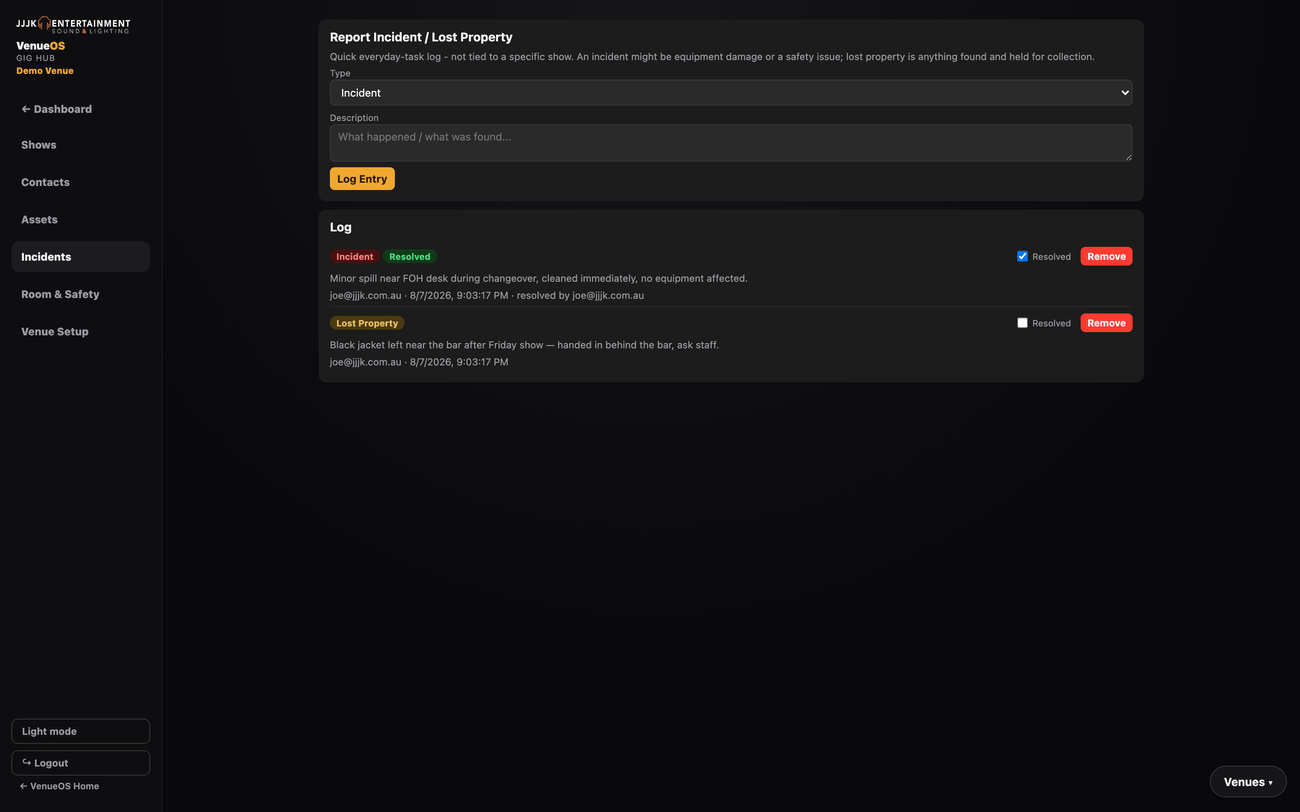
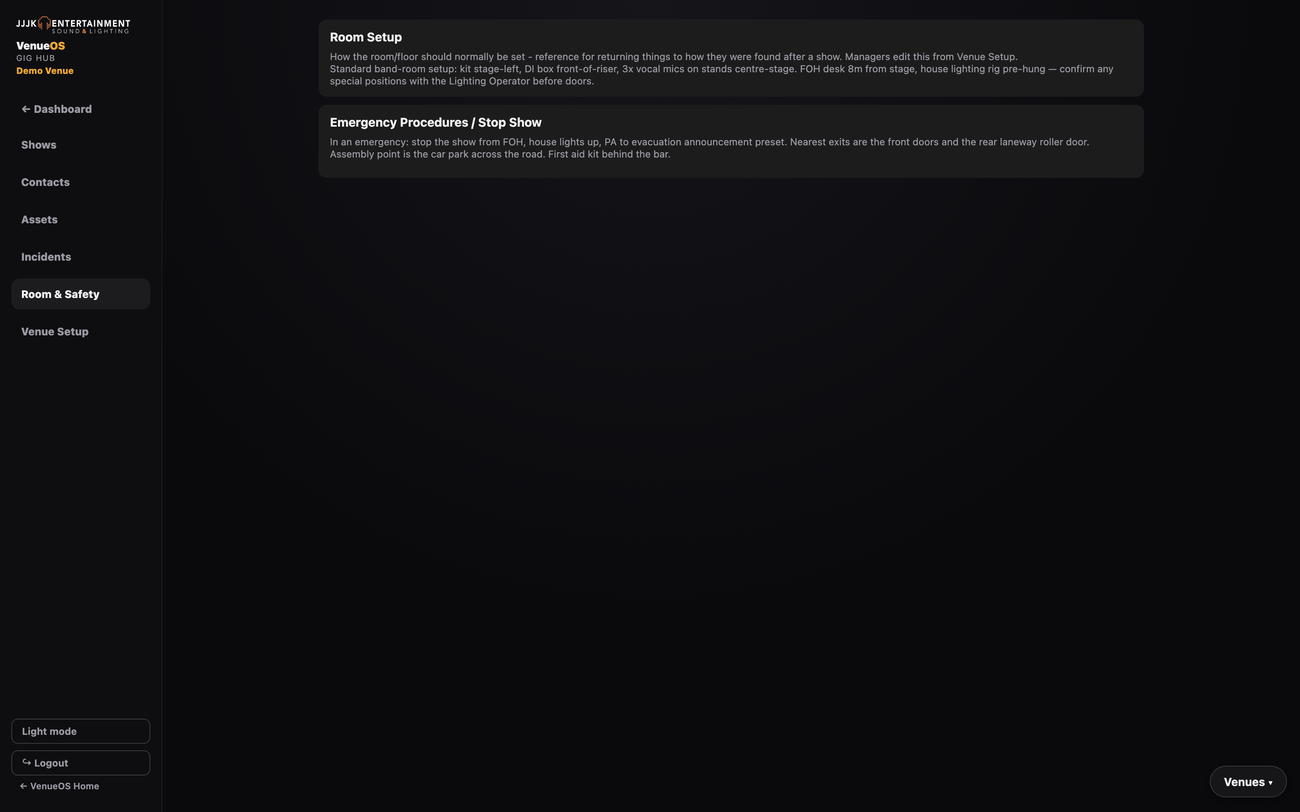
An incident/lost-property log that isn't tied to a specific show, and a Room & Safety tab every staff member can see — room setup reference photos/notes and emergency procedures, always one click away.

demo.venueos.jjjk.com.au/advancing/control
Gig Hub Incidents tab showing an incident and lost property log with resolved status
Incident / Lost Property log — logged by anyone on staff, resolved with an audit trail.
demo.venueos.jjjk.com.au/advancing/control
Gig Hub Room and Safety tab showing room setup notes and emergency procedures
Room & Safety — visible to every staff role, edited from Venue Setup.
NEW
Guestlist & Door Check-In

The paper guestlist, gone.

Bands and promoters add names straight from their own Advancing Hub link — with a plus-one allowance per name — and can keep editing it right up until doors. Door staff check people off on a tablet instead of a clipboard.

Ready to see Gig Hub running for your venue?

Book a live walkthrough — we'll show you the real dashboard, not a slide deck.

Book a walkthrough →